When can I expect my Tempest to arrive and will there be tracking info?
We will be shipping rewards throughout the month of April. Tracking info will be emailed when your package has shipped.
Last updated: March 30, 2020 15:55
Who do I contact if I have questions?
Write us at [email protected] or open a ticket from our help center: help.weatherflow.com
Last updated: March 27, 2020 09:46
Am I responsible for paying duty / customs / VAT fees?
This project is US-friendly, Canada-friendly, EU-friendly and Australia-friendly. Rewards bound for the EU will ship from within the EU. Rewards bound for other countries will ship from within those countries. Duties and taxes are pre-paid by WeatherFlow.
Last updated: March 30, 2020 15:56
How do I upgrade my pledge?
The ‘Remote Kit’ and ‘Storm and Fire Ready Kit’ system versions are still in development and will not be available until summer 2020. If you really want to upgrade and wait for one of the other versions, please email us at: [email protected] and we’ll help you out.
Last updated: March 30, 2020 15:57
How and where should I mount my Tempest?
There are two base attachments for the Tempest device, a flat base (standard 1/4”-20 thread & keyhole slot) and the pole mount (fits a nominal 1” mast). Find a location with as much exposure to wind, rain and sun as possible. Avoid areas where air might be stagnant (enclosed areas, under trees, porches) and avoid proximity unnatural moisture and heat sources and sinks (exhaust vents, central air units). You can find a full siting and installation guide available in our help center.
Last updated: March 27, 2020 11:04
What size pole do I need to mount the Tempest?
The Tempest is designed to fit on top of a pole with an outer diameter of 1.25 inches or 1.32 inches (31.75mm or 33.53 mm). The specific standard is known as “NPS 1” in the US or “NB 1” in the UK. In most of the rest of the world it’s also known as “DN 25.” It should be a very common pole size everywhere. In the US it’s sold at hardware stores in various materials-simply ask for a “one inch” pole.
Last updated: March 27, 2020 11:06
Do I need WiFi?
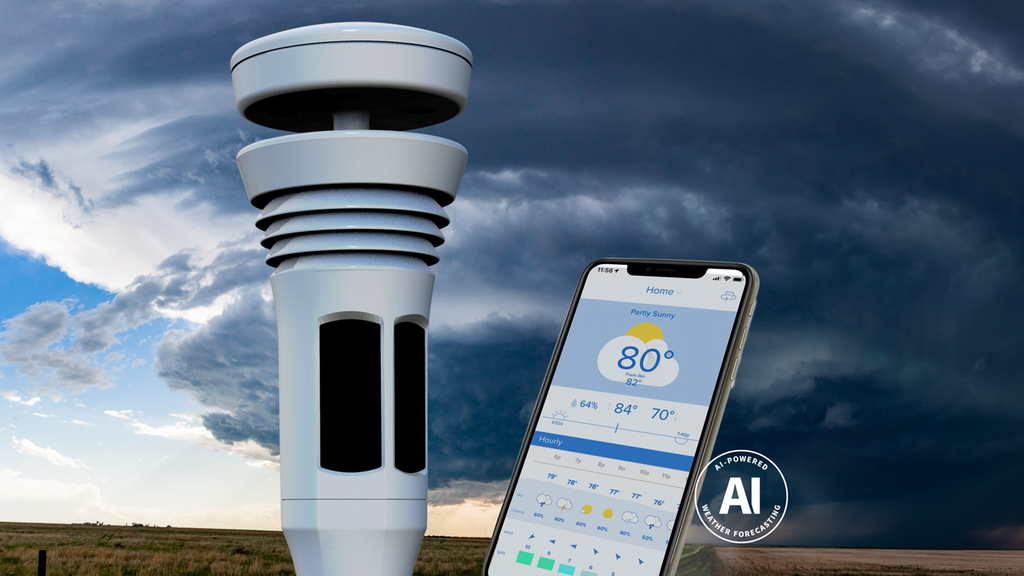
The most commonly purchased system utilizes WiFi to enable full performance. Most people place their Tempest at home and connect to a home WiFi network. Doing this will enable consistent weather data to flow into our servers and allow remote data access, and the network-based AI forecasting. Our HUB also broadcasts data locally over UDP and BLE, allowing you to access the raw data without internet connection.
If you don’t have WiFi or prefer to have a system that is not dependent on it you will need to purchase one of the Rewards that features our remote/cellular hub.
Last updated: November 14, 2019 13:03
Do I need to download the app to use the WeatherFlow devices?
Yes, the WeatherFlow Tempest app is required to setup and configure the smart weather devices. The Tempest app is available in both the iOS and Android app stores for free. The app serves as your daily weather data viewer. You can also view your data through our web app, as well as other integrated weather apps.
Last updated: March 30, 2020 15:59
Is the WeatherFlow mobile app free?
Absolutely! The Tempest app will be available on iOS or Android. Search for “WeatherFlow Tempest” in your app store.
Last updated: March 30, 2020 16:00
Will the devices work with any smartphone or tablet?
Most of them. WeatherFlow devices are compatible with all iOS 9.0+ and Android 4.3+ devices with Bluetooth Low Energy support for direct connection to the devices. If the device is connected to your home WiFi network, your data is pushed automatically to the cloud. Then anyone / any connected device can view the data via the WeatherFlow app or a variety of integrated weather and smart home apps.
Last updated: November 14, 2019 13:03
Can I see my weather station online?
Yes. You can see your own weather station via our Android and iOS apps or via our website at smartweather.weatherflow.com. You also get a personal weather web page that you can share with friends and family, who can use any connected device to view data from your Tempest. iPad? Yes. iPhone? Yes. Android phone or tablet? Yes. Computer? Yes. Anything with a browser!
Last updated: November 14, 2019 13:03
Does it work with Weather Underground?
Yes, you can publish your weather station data directly to Weather Underground via a direct integration in the app.
Last updated: March 27, 2020 10:56
What is your return/warranty policy?
Unconditional Return Policy - Tempest comes with a 60 day money back guarantee, no questions asked. Better Forecast Guarantee - Tempest guarantees an improved weather forecast for your location. If you aren’t blown away, simply return it within 8 months of use. Two Year Warranty - We stand behind all hardware components. If something stops working in the first two years, we’ll replace it. Ten Year Extended Warranty - If your Tempest fails at anytime, we will replace it with the latest technology at a greatly reduced cost.
Last updated: November 14, 2019 13:03
What happens if the power goes out or the internet goes down?
The initial Tempest system shipping in March utilizes external power and a standard WiFi connection. You will need a back-up power supply to ensure that both remain in operation during a power outage. If your internet goes down you will need to switch the WiFi connectivity to cellular data device. We will offer a Hub in the future that can utilize the cellular network directly and, combined with either a small back-up power battery or the remote Hub solar enclosure, it will function without power or home internet.
If you live in an area at risk for wildfire danger or wind storms we recommend purchasing one of the remote/cellular Hub options. This will ensure data will continue to flow during those critical times.
Last updated: November 14, 2019 13:03
Will the temperature sensor read correctly if placed in the sun?
Yes! Over four years of design and testing we have perfected our view of the ideal passive radiation shield. Tempest retains a compact design while creatively utilizing space and flow to closely match results from both aspirated and bulky radiation shields without adjustment more than 99% of the time. Even in hot, still conditions Tempest can correct measurements based on wind speed and solar irradiance in order to provide an accurate temperature in ALL conditions. We have proven in real world testing that we consistently provide an accurate temperature reading within one tenth of a degree.
Last updated: November 14, 2019 13:03
Does Tempest measure snowfall?
This system does not measure snow, but it does shed snow well – we apply a special super hydrophobic coating to the anemometer parts.
Last updated: November 14, 2019 13:03
Will Tempest work with my older WeatherFlow HUB?
Yes.
Last updated: March 26, 2020 14:42
Does the Tempest system come with a display?
No, at least not yet. The app and website will display your weather data. If you want a dedicated display now, you can use a simple tablet and enable “full screen” and “always on” display mode settings.
Last updated: March 30, 2020 16:01
Do I need a dedicated display for the Tempest?
Nope! Unlike technology offered by others, you can easily and instantly view your Tempest data on your smartphone, tablet, laptop, computer or virtually any device with a web browser. You can also ask Siri, Amazon Alexa, or Google Assistant for your data. If you want a full-time display, you can repurpose an unused tablet or iPad and run the app in “full screen” mode that is designed to serve as a full time display.
Last updated: March 18, 2020 13:58
Does Tempest integrate with Apple devices?
Of course! Tempest integrates with the Apple ecosystem in a number of ways. Besides the Tempest app, which runs on any iPhone or iPad running iOS 9.0 or newer, there are also Tempest apps for Apple Watch and Apple TV. Tempest also works with Siri, so you can check the weather using voice commands.
Last updated: November 15, 2019 18:26
Current Estimated Shipping Date: May 2020
We expect to begin shipping standard Tempest systems in April / May starting with deliveries to the US and Canada.
The 'Storm & Fire Ready Kit' and the 'Remote Kit' are expected to begin delivery in summer 2020.
Last Updated At: 03/26/20 | See Kickstarter UpdateWhat is BackerKit?
BackerKit is a service that crowdfunded project creators use to keep track of hundreds to tens of thousands of backers—from shipping details, pledge levels, preferences and quantities, whether they have paid or had their card declined, special notes, and everything in between!
The BackerKit software and support team is independent from the campaign’s project team—BackerKit does not handle the actual reward shipping. For more information about the preparation or delivery status of your rewards, please check the project's updates page.
How does BackerKit work?
After the campaign ends, the project creator will send you an email with a unique link to your survey. You can check out a walkthrough of the process here.
I never received my invitation. How do I complete the survey?
The most common reasons for not receiving a survey email is that you may be checking an email inbox different from the email address you used to sign up with Kickstarter, Indiegogo or Tilt Pro account, or it may be caught in your spam filter.
Confirm that the email address you are searching matches the email address tied to your Kickstarter, Indiegogo, or Tilt Pro account. If that doesn’t work, then try checking your spam, junk or promotions folders. You can also search for "backerkit” in your inbox.
To resend the survey to yourself, visit the project page and input the email address associated with your Kickstarter, Indiegogo or Tilt Pro account.
How do I update my shipping address?
BackerKit allows you to update your shipping address until the shipping addresses are locked by the project creator. To update your address, go back to your BackerKit survey by inputting your email here.
When will my order be shipped, charged or locked?
That is handled directly by the project creator. BackerKit functions independently of the project itself, so we do not have control of their physical shipping timeline. If you want to check on the project’s status, we recommend reading over the project's updates page.
I completed the survey, but haven't received my rewards yet. When will they arrive?
As BackerKit does not actually handle any rewards or shipping, the best way to stay updated on the shipping timeline would be to check out the project's updates page.